Scrub
Scrub is the ScrollTrigger option that binds a tween's progress to scroll position instead of time. The animation no longer plays on its own; it advances frame-by-frame as the user scrolls, and rewinds as they scroll back. Pass `scrub: true` for instant 1:1 binding or `scrub: <seconds>` to add a catch-up lag that smooths jitter.
- Ships in
- ScrollTrigger plugin
- Used in
- 12 Annnimate components
- Pairs with
- ScrollTriggerPinning
Updated June 1, 2026
How scrub works
Without scrub, ScrollTrigger fires onEnter and the tween plays at its own duration. With scrub, the tween's progress (0->1) is mapped directly to scroll progress between start and end. Scroll forward, the tween advances; scroll back, it reverses. The tween's duration becomes meaningless - scroll distance is the new clock.
scrub: true vs scrub: number
scrub: true is exact 1:1 binding. Every scroll delta moves the tween. Touchpads, mouse-wheel ticks, and orientation changes all show up as visible jitter on the animated element.
scrub: 1 adds 1 second of catch-up lag. The tween's target progress is still scroll position, but it eases toward it over a second. The result feels cinematic and forgives input noise. Most production sites use values between 0.5 and 1.5.
Tradeoff
Use scrub for
- Parallax effects where layers move at different rates with scroll
- Scroll-linked progress indicators (bars, counters, percentage badges)
- Pinned scenes where inner content advances with scroll position
- Reveal sequences where exact scroll-position pacing matters more than fixed timing
- WebGL uniforms (color, dissolve, deformation) that should track scroll
Use something else when
- Fire-and-forget reveals on enter - use
toggleActions: 'play none none reverse'instead - One-shot animations that should play at their own speed regardless of scroll - omit scrub
- Animations that should fire ONCE and never reverse - use
once: true - Tight UI feedback (hover, click) where binding to scroll makes no sense
Used in these Annnimate components
 ParallaxThe Parallax component scrubs layer transforms across the trigger range so each layer moves at its own rate
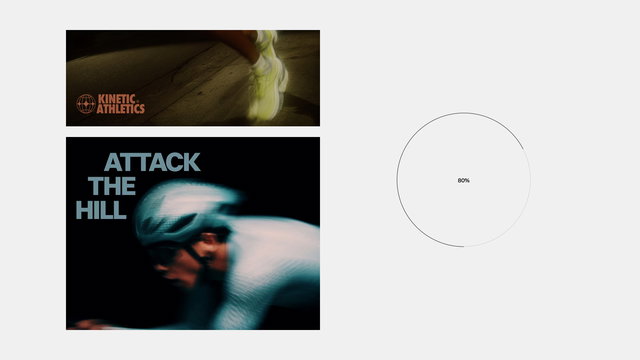 ProgressThe Progress component scrubs a width tween so the bar grows in lockstep with page scroll
 Velocity ClipThe Velocity Clip component scrubs a clip-path tween across the section so the reveal tracks scroll position
 Image Dissolve ScrollThe Image Dissolve Scroll shader scrubs the dissolve uniform 0->1 across the pinned section
 Step WipeA tall scroll-driven section that wipes between product steps as you scroll, with the background and the centred card clipping open together, and the title, step number and description swapping in sync at each step.
 Text Fill WaveA big headline that fills in color as it enters the viewport, with a bright accent wave riding the edge of the fill line by line.
 Grid ChaptersA three-chapter scroll story built on a visible grid, with an image and a headline for each chapter.
 Text On PathWords appear one by one along an invisible curve as you scroll, until a full sentence rides the hills and valleys of a hidden line.
 Scatter ClusterA scroll-driven section where a jumble of photo and stat cards piled in the center scatters out to its resting places as you scroll, uncovering the headline underneath.
 Torn Paper TransitionA scroll transition between two photos.
 Project WheelYour project titles sit on the edge of a big wheel that turns as you scroll.
 Stacking CardsA stack of photo cards that holds the screen while you scroll.
Common questions
- What's the difference between scrub: true and scrub: 1?
scrub: trueis instant 1:1 binding - every scroll delta moves the tween that frame.scrub: 1adds a 1-second smoothing lag - the tween eases toward its target progress over a second. Both bind to scroll position; the number adds forgiveness for touchpad/jitter input.- Why does my scrubbed animation feel laggy?
- Either you set scrub too high (try 0.5 instead of 2), or your animation is doing layout work each frame (animating width/height/top). Stick to GPU properties:
x,y,scale,opacity,clipPath. Layout properties on scrub multiply the cost across every scroll tick. - Can I scrub a timeline?
- Yes - the scrub option works on timeline ScrollTriggers the same way. The whole timeline's progress (0->1 across all its tweens) becomes scroll-bound. Position parameters and per-tween eases still apply within that timeline's normalized progress.
- Does scrub work with ease?
- Sort of. The TWEEN'S ease is bypassed under scrub (you're now driving by position, not time), but the SCRUB itself has its own ease curve -
scrub: 1is approximately ease-out at the smoothing layer. For per-tween easing under scrub, use gsap.timeline() with eased child tweens and scrub the timeline. - What's the ideal scrub value?
- Depends on intent.
truefor instant feedback (progress bars, counters where the number is the feedback).0.5-1for cinematic reveals and parallax.1.5-2for atmospheric effects where exact sync doesn't matter. Anything above 2 starts to feel disconnected from the gesture.